Tricky part, don't get trapped
When defining atrtributes and claims to map to Allure TestOps entities it's easy to walk into a trap: the left part is the claim name, the right is the value.
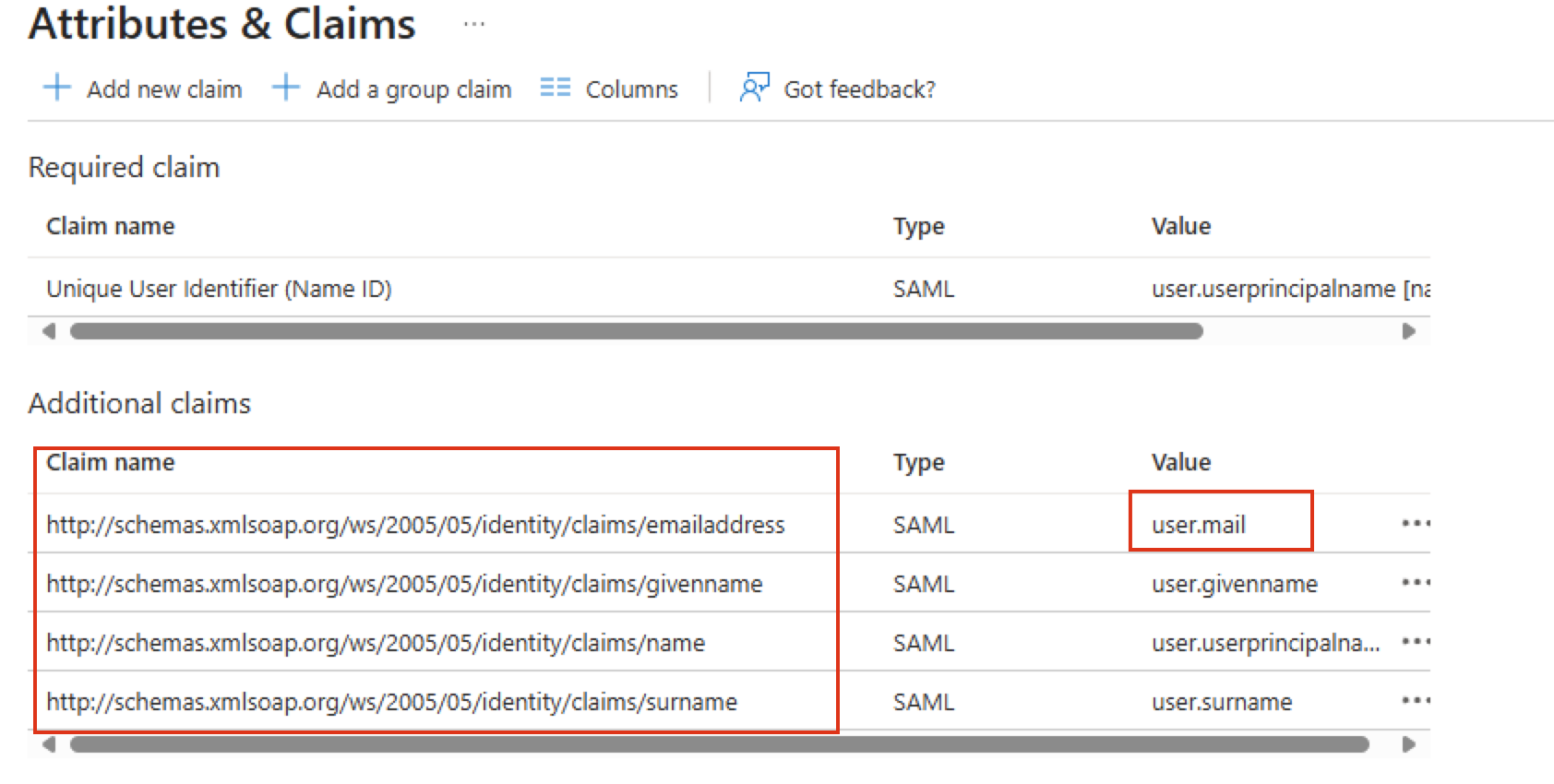
So when you are configuring the mappings for user attributes, then strings from the left part to be used
  saml:
    enabled: true
    id: entraid
    entityId: https://testops.xyz/api/login/saml2/authenticate/entraid
    acsUrl: https://testops.xyz/api/login/saml2/sso/entraid
    identityProviderMetadataUri: https:///path/to/metadata.xml
    syncRoles: false
    firstNameAttribute: http://schemas.xmlsoap.org/ws/2005/05/identity/claims/givenname
    lastNameAttribute: http://schemas.xmlsoap.org/ws/2005/05/identity/claims/surname
    emailAttribute: http://schemas.xmlsoap.org/ws/2005/05/identity/claims/emailaddress
    groups:
      groupRoleAttribute: groupRoleAttribute
      roleUserGroups: roleUserGroups
      roleAdminGroups: roleAdminGroups
Alternatively, you can alter the claim names in EntraID confir and make these shorter.
Was this article helpful?
That’s Great!
Thank you for your feedback
Sorry! We couldn't be helpful
Thank you for your feedback
Feedback sent
We appreciate your effort and will try to fix the article